
Visualize plans on the jobsite
Bring your designs into real-world context to easily visualize, explore and understand plans with accurate, easy-to-use augmented reality (AR). Save time and reduce costs — from planning and progress, to completion and maintenance.
See designs clearly before and during construction
See designs clearly before and during construction
Give your teams a clearer way to understand plans, confirm details, and spot issues before they slow work down. AR visualization brings design intent to life right where the work happens.

Clear visual context helps your team move faster and avoid mistakes
Real-world visualization
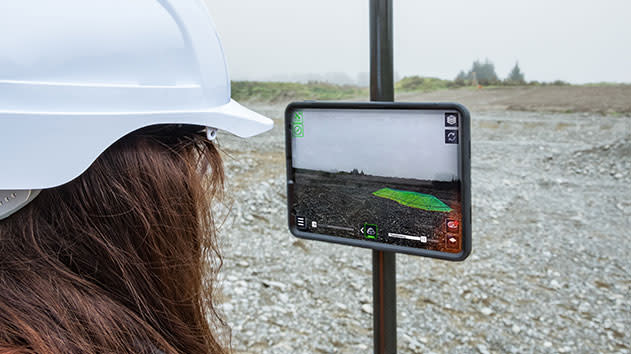
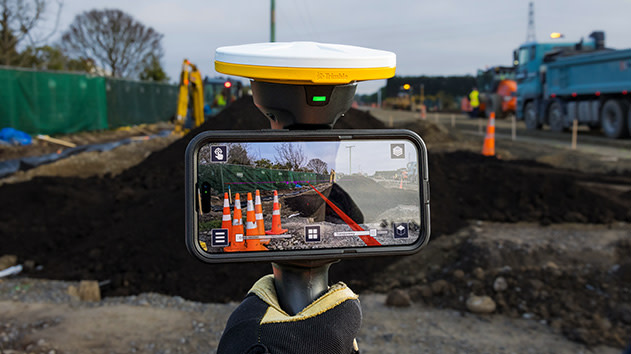
Understand exactly how your design fits the site by placing accurate 3D models in real-world context. Crews get instant clarity on alignment, scale, and layout, reducing confusion and preventing issues during construction.
Design vs. reality
Quickly catch discrepancies by comparing existing conditions to updated designs on site. Seeing conflicts early helps your team avoid rework, stay on schedule, and keep construction aligned with intent.

Track progress and monitor issues
Centimeter-level accuracy provides the confidence to make measurements, calculations and safer, more informed decisions on the spot. Share field data with the office via Trimble Connect to monitor elevation discrepancies and production issues in real time. Empower your team to resolve concerns instantly all within the Trimble ecosystem, keeping projects moving forward.

Reality capture
Scan the site as you move to capture accurate, georeferenced points without setting up additional equipment. Mobile scanning and data collection help you work faster, document existing conditions, and share usable data through Trimble Connect. Supported on lidar-equipped devices.

Team collaboration
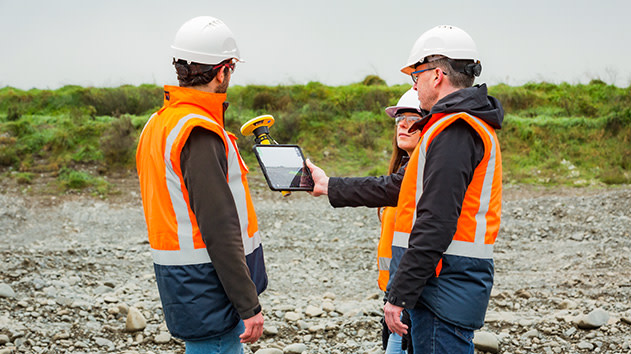
Give everyone, from surveyors to owners, a shared view of the plan. Real-time AR makes it easier to explain design details, communicate changes, resolve questions quickly and keep teams aligned without a lot of back-and-forth.

Optimize your ideal solution
Use your own device
Transform your phone or tablet into a powerful, multi-purpose tool with the affordable Trimble DA2 receiver. The DA2 is optimized to be used with any mobile device, ensuring a seamless, low-demand experience in the field. Use your existing batteries and deploy the DA2 receiver elsewhere for maximum return on investment.

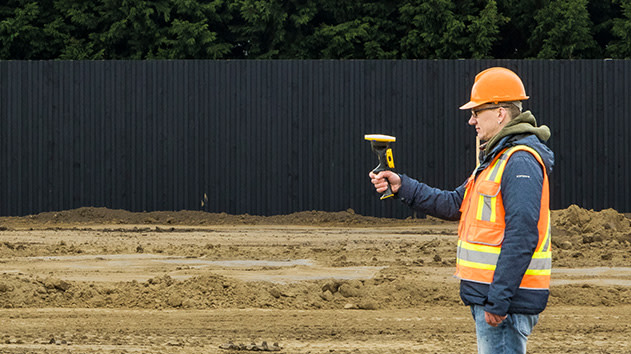
Trimble HPS2 handle
Designed for easy and convenient interaction with AR information in the field, this lightweight and portable handheld unit includes a rechargeable battery and DA2 receiver, along with a magnetic mount for any mobile phone. Integrated Electronic Distance Measurement (EDM) enables accurate measurements on the spot.

Flexible subscriptions
Access the power of SiteVision through subscription to deliver real-time kinematic (RTK) accuracy and ensure your software is always running the latest features. Choose the fully-featured SiteVision Pro subscription for maximum power, or opt for a cost efficient SiteVision Core subscription if working without GNSS.

Trimble TDC6 handheld data collector
When the job demands rugged reliability, turn to the Trimble TDC6, optimized specifically for SiteVision. Its field-durable, powerfully illuminated display lets you work fast and efficiently, even in bright sunlight. The long-life, all-day battery ensures hours of field computing, all packed into an ergonomic device designed to fit easily into your pocket.


Infosheet – Trimble SiteVision

Brochure – Trimble SiteVision industries and applications

Purchasing Guide – Trimble SiteVision
Outcomes that inspire confidence
This is the first time that we’ve been able to walk this flat pad of dirt, and visually see what we’re about to build. It’s like the entire project team is able to see my vision of the world through my eyes. That’s extraordinary.
See how AR helps crews plan better, avoid rework, and stay aligned
Give your team a clearer picture of what needs to happen on site. These workflows show how visual context helps crews understand the plan, spot issues early, and keep work on track.
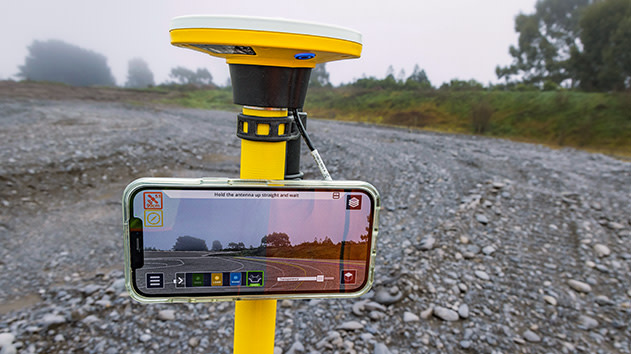
Design verification
Integrates with
Trimble Business Center
Make better decisions, decrease costly mistakes and increase efficiency in the office and on the job site. Powerful tools help you quickly and easily create accurate, integrated 3D constructible models for construction surveying and machine control.
Trimble Connect
Collaborate effectively and efficiently with a single source of truth for all data generated during the lifecycle of a construction project.
Displays and data collectors
Dependable, modern, next‑generation survey controllers that enable you and your team to get the job done efficiently and accurately, every day, all day.
GNSS systems for surveying and positioning
Trimble offers a range of integrated and modular GNSS systems to suit your specific application, signal tracking and budget requirements.